I'm in the same boat. ST has neat features, but I'm so comfortable with vim, and even if I switch to ST I will still end up using vim on remote machines. I've tried to make the switch, but it just seems to make my life more difficult.
I downloaded Sublime 2 yesterday and gave it a try. I'm a Vim user and I was just interested what else is around. I found it very slow on both OSX and Xubuntu, there are annoying things like the right click menu hanging sometimes, plugins slowing down the entire program, and the folder sidebar not updating when using SSHFS. The whole experience was just too inconsistent for me to drop Vim, even with Vintage mode and the extended plugin it was a poor substitute. I do really like Sublime's mini-map but I doubt that it is enough to get me to switch.
I find that CommandT (a vim package to emulate Sublime's cmd-t) and getting autocomplete working nicely gets me 95% of the Sublime features I cared about, so I moved back to vim about a month ago after eight months of Sublime.
How does autocomplete work in vim? I use vim all the time but have shied away from plugins. I feel they will confuse me and make it difficult to separate native functionality from plugin. With that being said, I also think it's time for me to bite the bullet.
Now if you really wanna get that extra motivation, I highly recommend you to watch this introduction by Derek Wyatt. For me, a few minutes into the video were enough to stick to all of his videos, truly amazing guy.
Vintage mode pretty much sucks for any proficient vim user. It implements only a fraction of the commands, and doesn't integrate properly with ST's features. The most obvious flaw for me was that insert mode doesn't record any text generated by ST's completion, so if you try to repeat the action, you get the gibberish you actually typed.
Don't get me wrong. I love ST, and Vintage mode was what convinced me to try it. But ultimately it was far more frustrating to have only half of my muscle memory work in Vintage than it was to just learn the ST way.
It sucks, and Vintageous the new implementation have so many bugs and is pretty much unusable from the first install, also it take some time to load every time i start sublime text.
Well, in emacs you can try out evil-mode, which will get you the basic vim commands. I flip back and forth between the two: the vim commands are great when I'm focused on a single document, usually a hunk of code, and just have to make some something happen. On the other hand, if I'm flipping between editing a latex write-up, recording progress in org-mode, moving files around in dired, flipping between two different interpreters and several shells, the web browser, database query front-end, etc., then I start to get annoyed by the modes and prefer the flow I can get by not having to worry about editor state.
Right now I'm mostly using modeless interactions, but every now and then it feels good to get the vim muscles moving.
Don't be too envious, Sublime Text is a decent platform. Easy to install plugins on the fly from inside the editor, reloads settings on the fly, and you have a Vim (vintage) mode so you can enjoy the awesomeness that is Vim AND Sublime.
It's indeed a nice editor, but one main issue I have with it is that it doesn't detect the language of the file based on content, but solely on the file extension.
When working on websites you have your files like .js .html .css .php etc etc, but when working on system tools and scripts, a lot of these files lack the file extension and instead just defines the #! at the top of the file.
It doesn't even seem to be a way to manually specify that my file is of X language in the editor. According to the devs on their IRC channel, a feature like this isn't on the roadmap any time soon.
It's very unfortunate, but without this feature it's more hassle for me to work with it than with ST, or Vim.
Brackets is great if you are doing HTML/CSS/JS. But if you are doing other languages or using it as a normal text editor, Sublime Text is much more flexible and powerful. ST also handles large files better than Brackets.io or Atom.io as both of those use Chromium/Webkit as their editor.
I so badly want to use ST, but I need a sidebar with a function list like several editors & IDE can generate (yeah, I know fuzzy search, no, it's not what I need).
Seriously, if anyone with enough python-foo wants to code this, I'm sending cash their way.
In fact, there seems to already be a Sublime Text plugin that uses ctags to offer a function list: https://github.com/SublimeText/CTags. It apparently shows the tags in the file tree instead of in a separate pane, which some people may not prefer. But it sounds like basically what ozh wants.
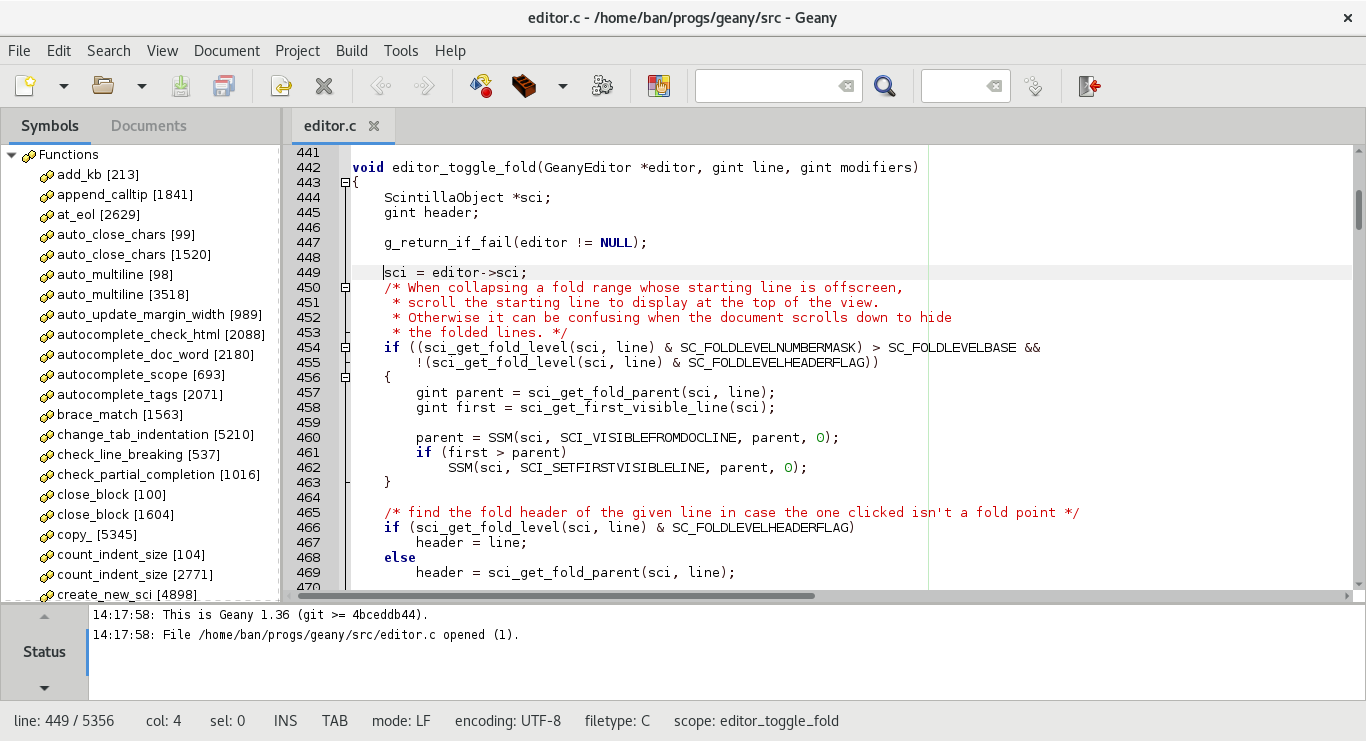
That's not what I need. I'm used to having a list of all functions / declaration in the current file, always visible, and I just can't live without it.
For functions there's cmd-R. Declarations I'm not sure though, I think this would need a language specific plugin.
One thing though, cmd-R doesn't work very well with closures, it gets a bit messy - the good thing is that you can just start typing words you know from the function's name and it will list anything relevant.
Could you provide a link to a screenshot/example of what you're talking about. I understand the gist of what you're describing; I believe I've been looking for the same thing.
An equivalent plugin would be harder to implement in Sublime Text, because Vim has identification of “tags” (function/class names) built-in, and the Tagbar plugin just displays them. I don’t think Sublime Text’s syntax highlighting rules do any equivalent thing. So a Tagbar-like plugin might need to parse the code itself to identify tags.
I'm used to something like this: http://i.imgur.com/gAQhd.png and I have a very hard time not using it (function list on the right). When hovering a function you also get a hint on parameters.
Referring to Cmd as Super is sort of unnecessary when most of the shortcuts in question are specific to OS X and don't work on the other platforms with a Super key...
From the Sublime office: We are not selling to Github, we are not stopping development of Sublime. As noted by another poster, this is effectively a one man band (I'm here to answer sales questions, process your refunds and get the mail so Jon doesn't have to). The past few months of silence on the development front have been a combination of boring back end work (taxes, new payment platform) as well as a break for the man driving this whole operation. No, we don't currently have a loud internet presence, which is can be an understandable cause for concern-something we intend to address once we move into the production version of 3. There is a vision for continued growth and development, there is momentum behind Sublime Text; it is not dead, just slow.


Vim is just way too fast for me to leave.